
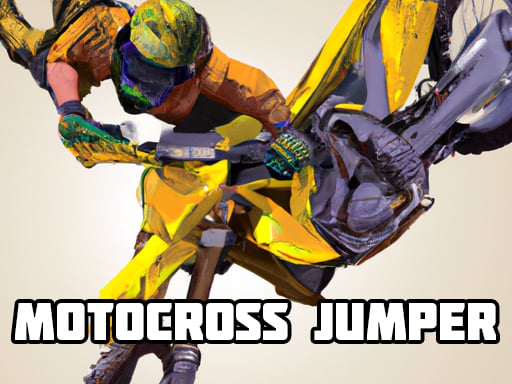
About This Game
Motocross Jumper is a RACING game that runs right in your browser. No need to download anything or have a powerful computer — just open and play.
Motocross Jumper game with realistic physics, fun and nice graphics!!! Motocross features many cool tricks, including multiple animation states depending on the bikers actions. Perform tricks, 360, wheelies, front ends and more. Control the bike as you perform cool tricks and pull off some in-air stunts. The mechanics include crash detection, with animations and various physics detection routines.
Motocross Jumper doesn't ask for your money or your hard drive space. What you see is what you get — pure gameplay. Easy to start, tough to walk away from. Players from all over jump in, share their tricks, and keep things lively.
Every time you play Motocross Jumper, it's a little different. The situations change, the choices you make actually matter, and no two sessions feel the same. The more rounds you run, the more you'll pick up. Plus it loads fast, runs smooth, and works just fine even on older or cheaper devices.
How To Play
You can play on anything — laptop, phone, tablet, whatever. Use a mouse on desktop, or just tap and swipe on touchscreens. Give it a minute and it'll feel completely natural.
Quick Start Guide
To start playing
Motocross Jumper , just hit the play button up above. That's it — no sign-up, no install.
The game
works on any modern browser and will automatically fit your screen size.
Controls:
- Mouse / Touch: Click or tap anywhere to interact with the game.
- Keyboard: Use arrow keys, spacebar, or WASD if the game supports it.
- Mobile: Swipe, tap, or hold on the screen to play.
Tips to get better:
You don't have to figure everything out in the first five minutes. Take your time, try things out,
and see what
works. The game gives you visual and sound feedback — pay attention to that and you'll catch on
fast. Above all,
just have fun with it.
Something not working?
Make sure JavaScript is turned on and your browser supports HTML5. On mobile, a Wi-Fi connection
works best. If
something looks weird, try refreshing the page — that usually does the trick.
Related games
Cricket World Cup Game
March Madness 2024

Leap the bottle
Magic Soccer
Grimace Ball Jumpling
World War Zombie
Rage Road Online
Minecraft Archer

Bloomball 1: New Labyrinth Maze 2024

Grand Truck Simulator
ShooterZ.io
CoronaVirus19
Slap Master 3D
Piano Master

Decorate My Dream Castle - Home Design

BFFs Grunge Minimalist Fashion

Celebrity First Date Adventure
Beauty Salon Girl Hairstyles
Dark War
MiniCat Fisher

Minion Rush 2
Raccoon Retail
Green-Island-Land-Of-Fire-Game
Subway Squid Game 3D - Subway Runner